Kamis, 28 Mei 2015

Pay your way with Android

Credit cards, debit cards, loyalty cards, cash, coins. Forget fumbling through your wallet next time you�re in a store�what if you could pay with just a tap?

Introducing Android Pay, the simple and secure way to pay with your Android phone.
Things are more interesting when we create them together. So we�ve approached Android Pay the same way we approach every other part of the Android family -- partnering with the ecosystem -- bringing together mobile carriers, payment networks, banks and retailers to deliver you choice and flexibility. And offering developers an open platform to collectively push mobile payments forward.

Tap to pay in stores
With Android Pay, you can simply unlock your phone like you normally do, place it near a merchant�s contactless terminal, and you�re good to go. Android Pay does all the heavy lifting. You don�t even need to open an app�just tap and go. You�ll also see a payment confirmation and get transaction details right on your phone.

Also, with select retailers, your loyalty programs and special offers will be automatically applied at checkout. For example, when you tap to buy a Coke at a vending machine, your MyCokeRewards will be automatically applied. With Android Pay the contactless terminal not only receives your payment info, but also your loyalty programs and offers.

Tap to pay in apps 
Making an online purchase? The days of entering your credit card and shipping address each time you make a purchase online will be a thing of the past. Just select �Buy with Android Pay� and leave the rest to us; checkout is as fast as a tap.

To make it easier for developers to add Android Pay to your favorite apps, we�ve designed our platform to work with any payment processor. And we�re partnering with top payments processors including Braintree, CyberSource, First Data, Stripe and Vantiv to make integration even easier.

The choice is yours 
With Android Pay you will be able to pay with your credit or debit card, across multiple Android devices, and at thousands of stores and apps that you already know and love. And by enabling bank apps to integrate with our platform, you�ll be able to add your credit and debit cards directly from bank apps for use with Android Pay.

It's still early days, but we're very excited and think that this type of open platform will help drive adoption in mobile payments.

Security is at the center of Android Pay
We know how important it is for you to keep your personal and financial information secure. Therefore, we�re working with leading payment networks and financial institutions in the US to deliver industry standard security tokenization, to support Android Pay�s launch later this year.

So when you shop at a store, Android Pay won�t send your actual credit or debit card number with your payment. Instead we�ll use a virtual account number to represent your account information -- providing you with an extra layer of security. And if your phone is ever lost or stolen, simply use Android Device Manager to instantly lock your device from anywhere, secure it with a new password or even wipe it clean of your personal information.

Shop at your favorites 
Android Pay will soon be accepted at over 700,000 store locations from your favorite brands across the US, and in over 1000 Android apps. And we�ll be adding more every day. 

Android Pay in stores
Android Pay in apps
Stay Tuned
Android Pay will be available on Google Play for download soon. And when your bank integrates, you could also activate Android Pay directly from your bank app. We are also working with major US mobile carriers (AT&T, T-Mobile, Verizon) to help ensure that when you buy a new Android phone, you can walk out the door ready to use Android Pay.

Look forward to sharing more in the coming months.

Posted by Pali Bhat, Director, Product Management

Kamis, 21 Mei 2015

Now live on Android TV: SportsCenter, HBO and more with Sling TV

Android TV brings the best entertainment -- apps, games, movies, shows, music -- to the biggest screen in your home. Today, the Sling TV app adds your favorite dramas, live sports and more.

The NBA Playoffs and SportsCenter on ESPN
Sling TV offers 22 channels for $20 per month so you can catch live sports like The NBA Playoffs on ESPN and highlights on SportsCenter. Best of all, the app is available for phones, tablets and televisions powered by Android. Whether you�re at home or stuck at the office, Android and Sling TV keep you connected to the teams you love.

Ballers? premieres on HBO�
Sling TV�s tailored add-on packs also bring more current-season shows and live premieres to Android TV. Add HBO� to your core package for $15 to watch premium content like Game of Thrones� and True Detective�. Ballers? premieres at 10pm on June 21 -- catch it live on Sling TV.
Get started with a 50% discount on Nexus Player
Starting today in the United States, you can get the Sling TV app in Google Play on Nexus Player. If you�ve been considering getting Android TV, Sling TV is also offering Nexus Player at a 50% discount when you pre-pay for 3 months of service.

Posted by Thomas Riedl, Android TV Partnerships

Rabu, 20 Mei 2015

The limited-edition Skrillex Live Case: Built for fans. Made for Android.

We spend a lot of time with our phones every day. They�re essential to how we communicate and for many users, an extension of our style. We think that means your phone � and its accessories � deserve to be as interesting as you are. So we decided to seek out some of the world�s top artists to make that happen.

Enter Editions, a series of creative collaborations to develop limited-edition cases for Android phones. We are kicking off the series with Grammy-winning producer, Skrillex, who has created three unique designs inspired by his lifelong fascination with space. The Skrillex Live Case connects to your phone to bring you VIP access to Skrillex content and a companion live wallpaper that extends its design onto the screen.
From Skrillex�s satellite to your screen

The companion live wallpaper updates over the course of the day showing stunning images of Earth shot from the stratosphere. At night, it changes to display constellations visible from your current location.

To capture the Earth images, Google and Skrillex launched a custom-designed balloon satellite named after Skrillex�s dog, Nanou. Once Nanou�s photographic mission is complete, a lucky fan will win the autographed satellite in an upcoming giveaway. Follow @Android on Twitter for more details.
In a short documentary about the project, we join Skrillex in Downtown LA to hear him talk for the first time about the origins of his fascination with space. We also travel deep into the Nevada desert to launch his satellite into the stratosphere.

VIP access to Skrillex content

Fans who get the Live Case will get early access to a free OWSLA album from Google Play and Skrillex updates sent directly to their phones. A shortcut button built-in on the Live Case gives you one-touch access to Skrillex�s music feed on YouTube. The button can also be customized to open your favorite apps, launch your phone camera or go to Skrillex�s website.

Exclusively on the Google Store

The limited-edition Skrillex Live Case is individually numbered and available for Nexus 5, Nexus 6, Samsung Galaxy S5, Samsung Galaxy S6 and Samsung Galaxy Note 4. Get yours at the Google Store today through the end of June while supplies last. Stay tuned for the next collaboration. We can�t wait to tell you all about it.

Posted by Kari Clark, Senior Manager, Google Accessories

Rabu, 13 Mei 2015

Google Fit: Make every step count

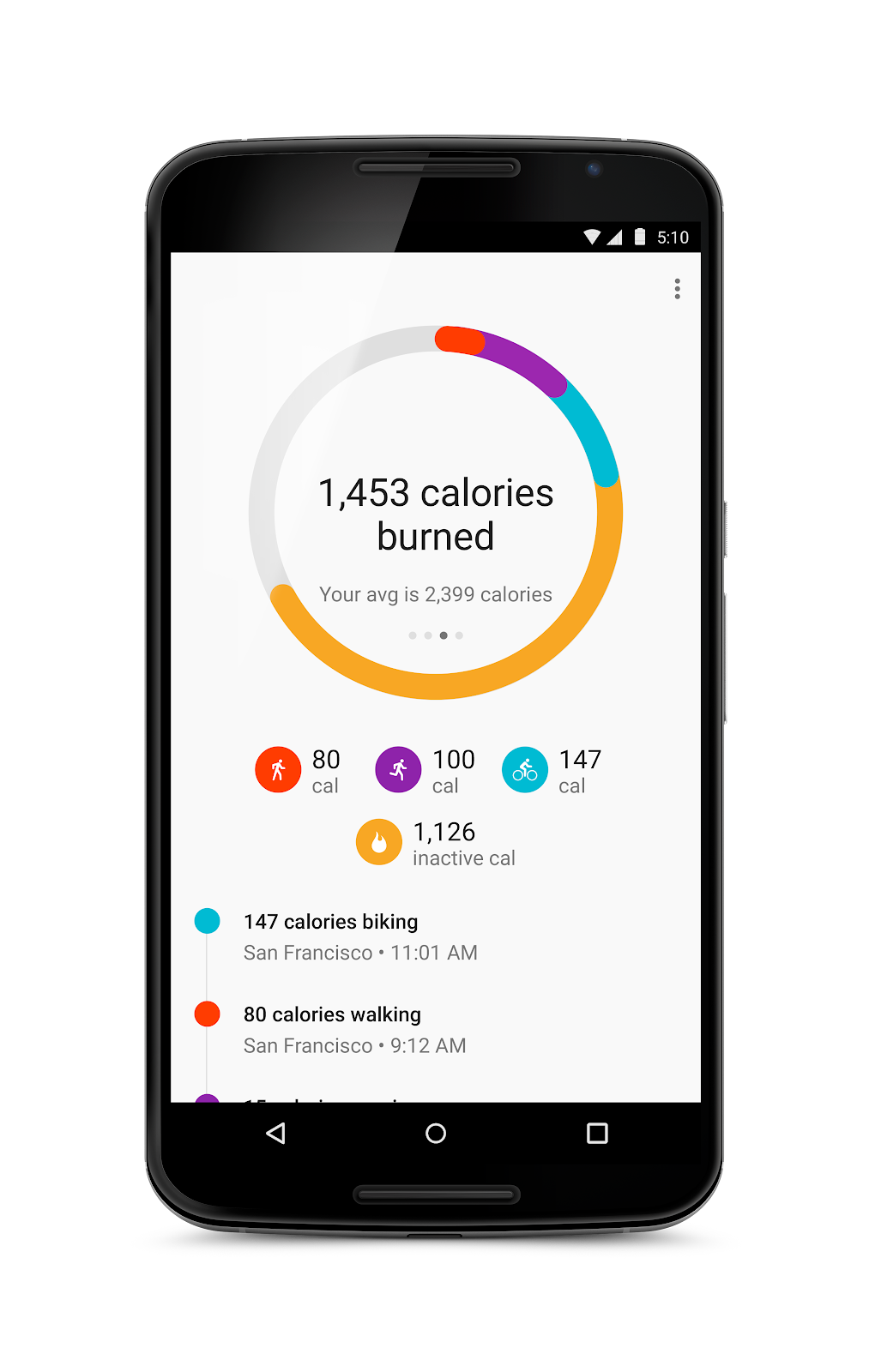
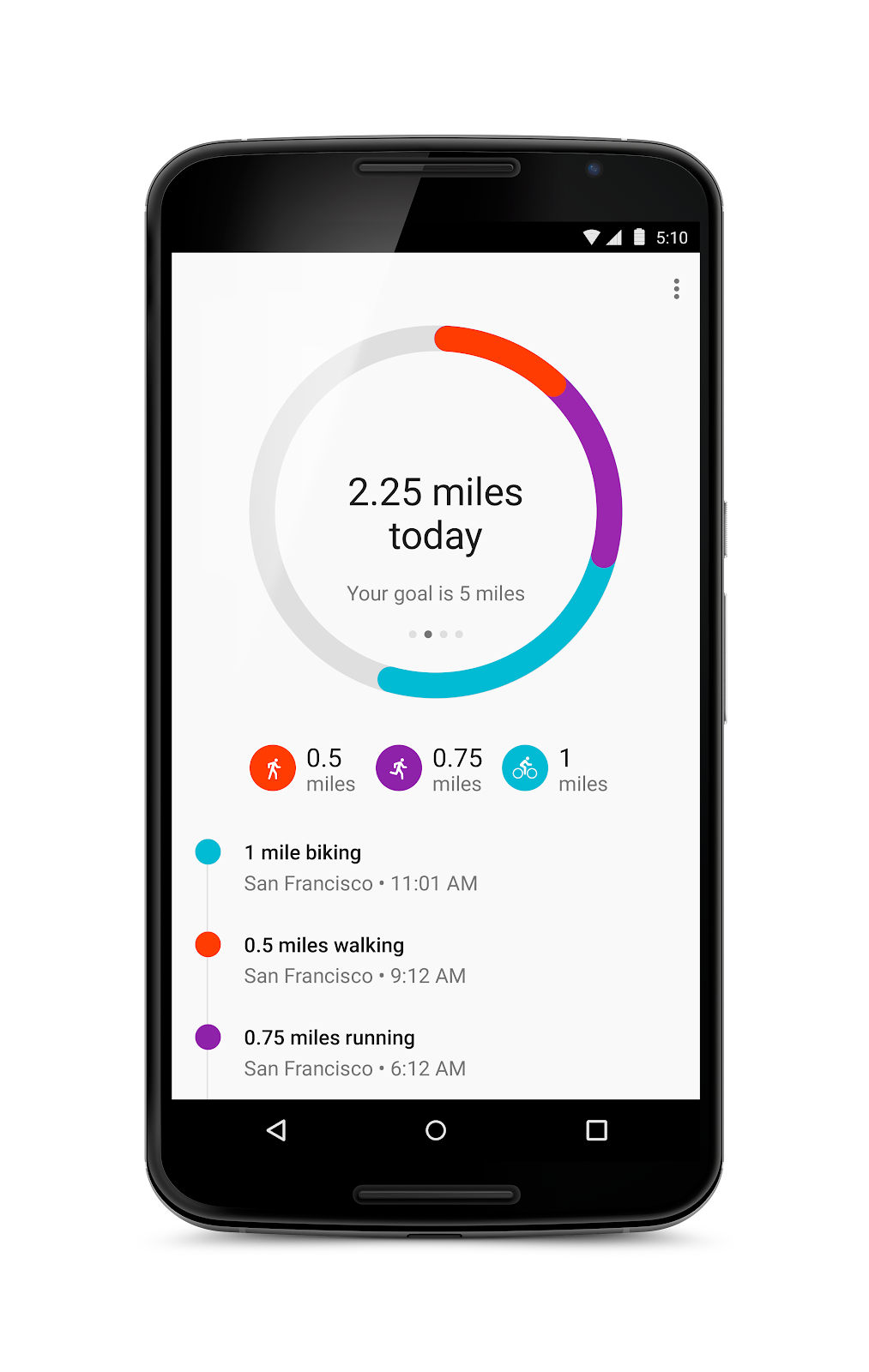
When you set fitness goals it�s important that you have the tools in place to check in on your progress. So to help you keep track of how far you�ve come, Google Fit now estimates distance and calories burned. Simply update your profile to include gender, height and weight and we�ll let you know how far you�ve gone and estimated calories you�ve burned off throughout the day and during your workouts.


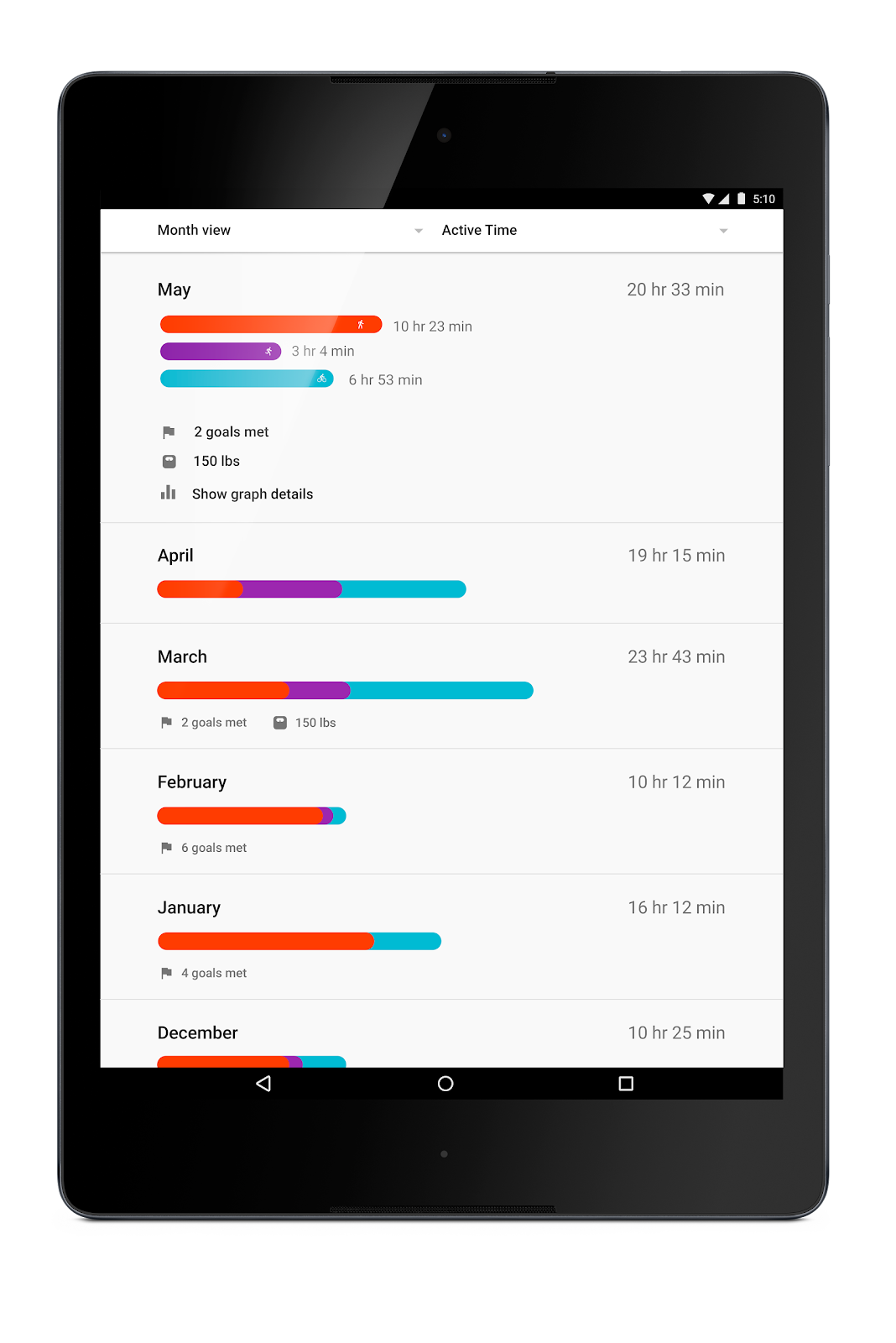
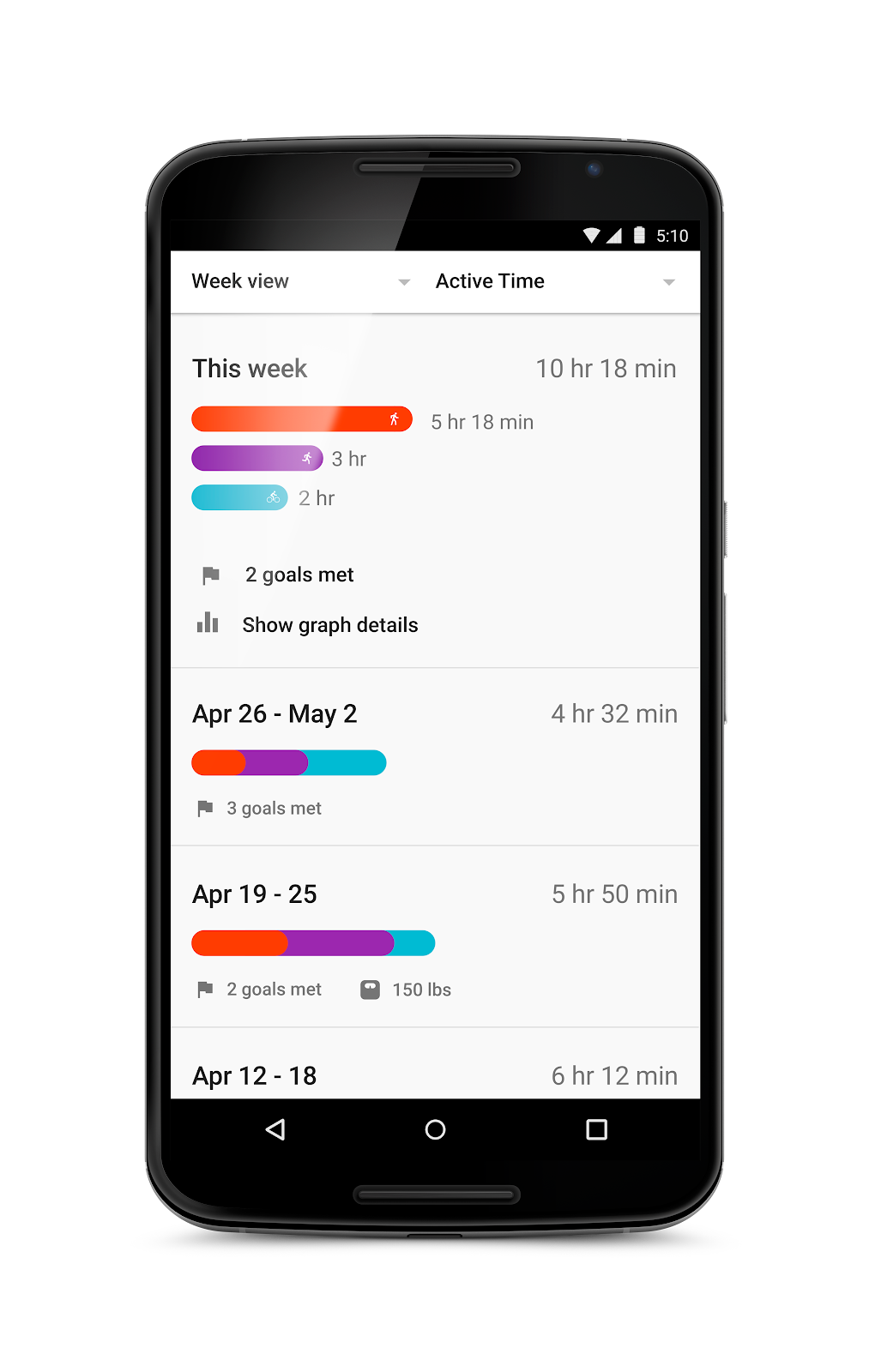
Also, you�ll now have a new way to look back over your fitness history. As you scroll down your timeline you�ll be able to look at your activities grouped by days, weeks or months and get a sense of how your activities impact your fitness over time.


Finally, to help keep those fitness goals top-of-mind, we�re also releasing a Google Fit widget and an Android Wear watch face. Now with a quick glance at your phone or watch, you�ll be able to see how close you are to your goal and stay motivated.


So whether you want to run a half-marathon, work off that cupcake or simply move a bit more each week, these new additions to Google Fit will help you stay on track to reach your fitness goals.


Posted by Allyson Gale, Product manager and runner-in-chief for Google Fit.

Kamis, 23 April 2015

Google Keep: Take notes on the go

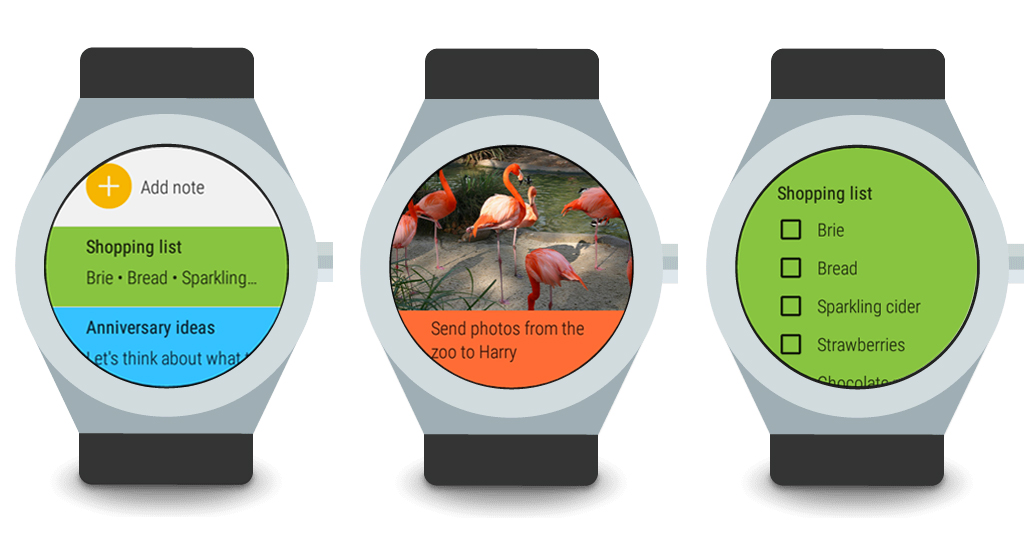
At the grocery store, juggling your shopping list with a gallon of milk, a basket of food, and your phone usually ends up with a �Spill in aisle 4.� Starting today, you can leave your phone in your pocket and view notes on your Android Wear device. Just start Keep from the app list or say �OK Google, open Keep� to begin browsing notes on your wrist. To take a new note, you can still use �OK Google, take a note.�


Swipe up and down to browse through notes, tap to view a particular note, or just tap the plus sign and speak to create a new note. You can also add reminders to notes directly from your Android Wear watch. With this update, Keep will support recurring reminders too!

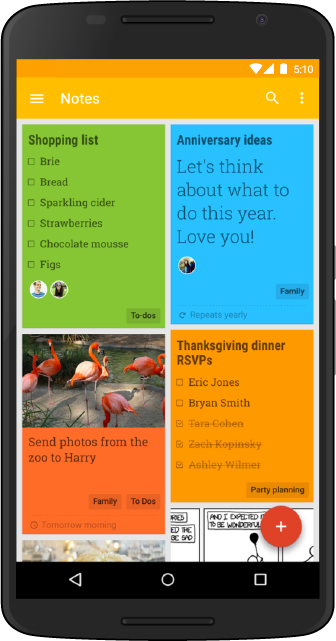
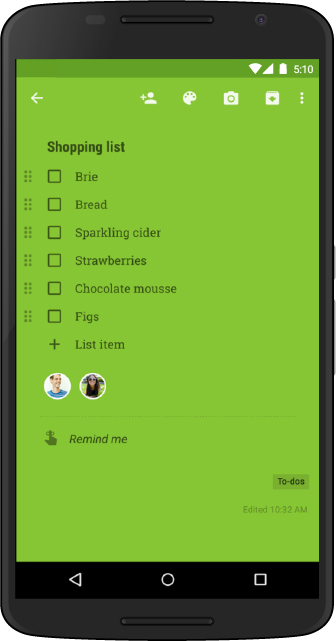
We also recently launched the ability to add labels to notes in the Keep Android app and on the web to help you stay organized. Use labels like �Inspiration� and �To-dos� to never miss an idea or task.


So whether it�s taking notes on Android Wear, setting reminders, or adding labels to notes, use Keep to make sure you never lose a thought.

Google Keep is available for free on Google Play for your Android devices (Android 4.0, Ice Cream Sandwich and above), the web, and the Chrome Web Store.


Posted by Ranna Zhou, Product Manager and Chief Notetaker for Google Keep

Senin, 20 April 2015

Android Wear: wear what you want, get what you need

Architect and artist William Morris once said, �Have nothing in your house that you do not know to be useful, or believe to be beautiful.� Turns out that�s also good advice for deciding what to wear. So Android Wear offers a range of watches and apps that are fashionable as well as functional.

Over the past few months we�ve added lots of ways to express your style�from custom watch faces to a rainbow of bands. Today we�re making Android Wear more helpful as well�getting you what you need, right on your wrist.

Always-on screen, always-on apps

When you buy a watch you want it to, well, tell the time. So most Android Wear watches include an always-on screen�no tapping, twisting or shaking required to see what time it is. Now we�re expanding this option to apps, so they can stay visible as long as you need them, instead of disappearing when you drop your arm. In either case the screen is only full color when you're actively looking at it�so you get the info you need, and you save on battery life.

Wi-Fi support

With GPS and offline music support, you can already leave your phone at home, then go jogging and jamming like normal. Now Android Wear supports watches with built-in Wi-Fi. As long as your watch is connected to a Wi-Fi network, and your phone has a data connection (wherever it is), you�ll be able to get notifications, send messages, and use all your favorite apps. And if you really do forget your phone, you can always ask your watch where it is.

Simpler, faster, and more smiley

When it comes to your watch, using apps should be as simple as checking the time. So today we�re making a number of Android Wear improvements to help you access your info, and express yourself more easily:
  • Got your hands full? You no longer need them to check your news and notifications. Instead you can just flick your wrist to scroll through the stream.
  • Your apps and contacts are now just a tap away from the watch face. Just touch the screen, and you�ll be able to start apps and send messages immediately.
  • : Can�t talk? Now you can draw hundreds of different emojis, directly on the watch screen. We�ll recognize your work (no art degree required) and send it via message or text.

These updates are coming to all seven Android Wear watches over the next few weeks, starting with the new LG Watch Urbane. In the meantime, there are plenty of useful apps and lots of beautiful watch faces�so find your favorites, and wear what you want.

Posted by David Singleton, Director of Engineering, Android Wear

Rabu, 08 April 2015

Android Wear: even more ways to wear what you want

Function and fashion. The watch has always been a great mix of both, and with Android Wear, we�re working with an ecosystem of manufacturers and developers to help you get more done and dress things up, right on your wrist. Today we�re adding even more ways to express your personal style.

A watch face for everyone

There are now more than one thousand different watch faces available for Android Wear�from ones that match your clothes, to ones with napping cats, to ones that show the stars. To help you find your favorites, we�ve expanded our hand-picked collection on Google Play. So try a watch face on for size, and change things up as often as you want.
Mosaic of Android Wear watch faces�larger image available here

A wider selection of straps

Most Android Wear watches use industry standard 22mm bands, so you can choose almost any strap for your device. Starting this week, you can also explore a curated set of options from E3 Supply Co., Worn & Wound, and Clockwork Synergy.


Sample watch straps for Android Wear

So choose your favorite watch, then select a face or strap. With Android Wear, you�re always free to wear what you want.

Posted by Jeff Chang, Senior Product Manager, Android Wear